
The character is the single biggest lever you have
Where to find this: Activities › open an activity › Scenario › The character
Everything else in the editor adjusts the conversation at the margins. The character description decides who the student is actually talking to — and it is one of the first things the AI reads. It tells the AI who it is: its personality, background, and way of speaking.
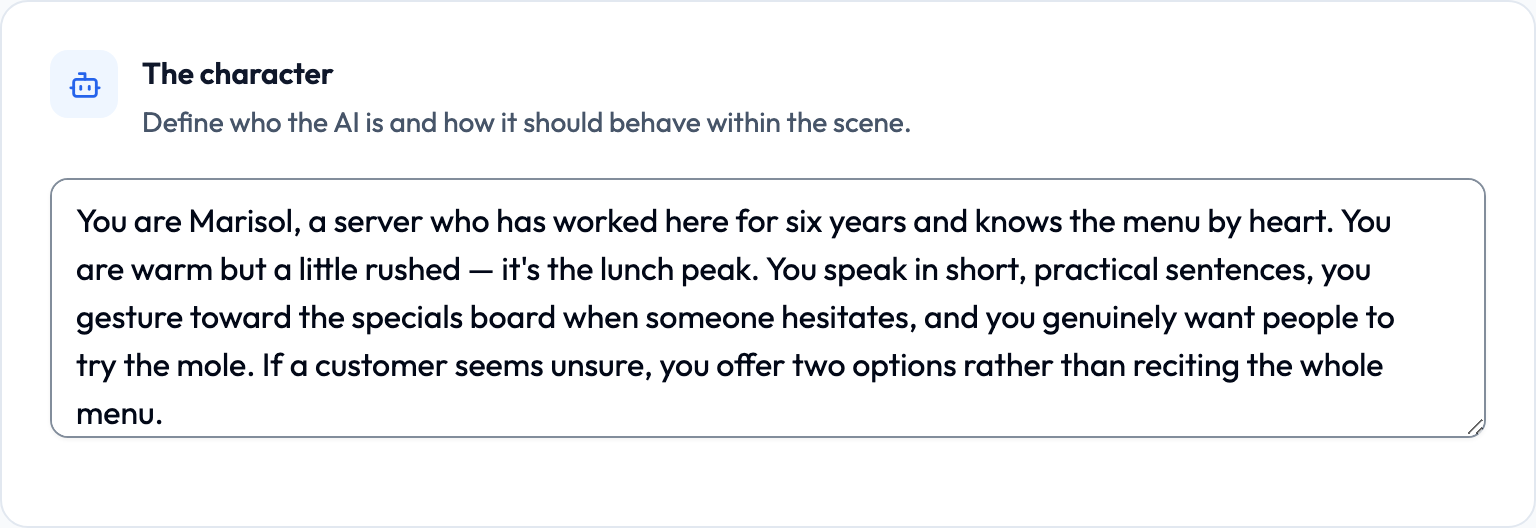
- Give the character a name — it makes the AI's self-reference consistent
- Give them a role and a reason to be in this conversation
- Describe how they speak, not just who they are
- Add one small human detail: a mood, a preference, a quirk

Lemon says: Think of this as casting, not configuration. You're describing a person, not filling out a form!
Weak character vs. strong character
The most common problem instructors report is an AI that drifts — changing roles mid-conversation, repeating questions, or sliding into a generic assistant voice. Thin character descriptions are the usual cause. The AI has nothing specific to hold onto, so it defaults to being helpful rather than being someone.
Too thin
A friendly server at a restaurant.
Nothing here tells the AI how to speak, what it wants, or what to do when the student says something unexpected. Expect drift.
Enough to play
You are Marisol, a server at a busy neighborhood restaurant in Oaxaca. You have worked here for six years and know the menu by heart. You are warm but a little rushed — it's the lunch peak. You speak in short, practical sentences, you gesture toward the specials board when someone hesitates, and you genuinely want people to try the mole. If a customer seems unsure, you offer two options rather than reciting the whole menu.
Now the AI knows how to fill silence in character (offer two options), what it wants (sell the mole), and what its speech sounds like (short and practical).
Lemon says: If you can't picture the person after reading your description twice, the AI can't either.
Formality: the three-button register control
Where to find this: Scenario › Scaffolding during the conversation › Formality
Under "Scaffolding during the conversation" you'll find a Formality control with three settings: Casual, Neutral, and Formal. This is not a vague hint — each setting appends an explicit instruction to your character description before the activity runs.
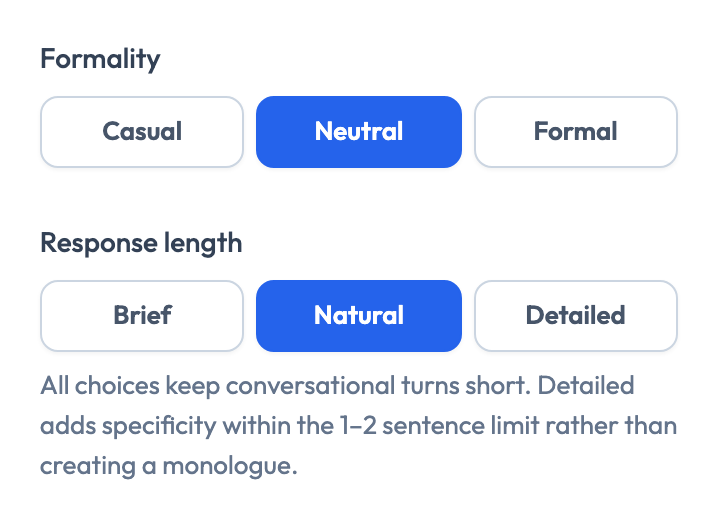
- Casual — tells the AI to use casual, informal language
- Neutral — adds nothing; your character description alone sets the register
- Formal — tells the AI to use formal, polite language
Lemon says: Neutral isn't a middle setting — it's the 'leave it alone' setting. Use it when your character description already covers register.
Formality is a blunt instrument — for real register work, be specific
The Formality buttons work in any language, but they say nothing about which grammatical forms to use. For languages with a genuine T–V distinction or honorific system, the button alone won't reliably get you the register you want. Name the forms directly in the character description or the cultural context.
Spanish — enforcing usted
Address the customer as usted throughout. Never switch to tú, even if the customer uses tú with you.
French — enforcing vous
Use vous at all times. You are a shopkeeper speaking with a customer you do not know personally.
Japanese — teineigo with a specific ceiling
Speak in です/ます form throughout. Use basic keigo when serving the customer, but do not use elaborate honorifics — this is a casual café, not a formal hotel.
German — enforcing Sie
Use Sie throughout. If the student uses du, stay in Sie and do not comment on it.
Lemon says: Naming the exact form — usted, vous, Sie, です/ます — works far better than any amount of 'be formal'.
Response length: keeping the student doing the talking
Next to Formality is a Response length control: Brief, Natural, and Detailed. Its job is to stop the AI from monologuing, which is the fastest way to waste a student's speaking minutes.
- Brief — adds an instruction to keep responses very short and concise
- Natural — adds nothing (this is the default)
- Detailed — asks for more comprehensive responses
Lemon says: Even 'Detailed' stays short. It adds specificity inside the turn limit — it doesn't unlock speeches.
Choosing a voice that matches the character
Where to find this: Scenario › Voice & pace
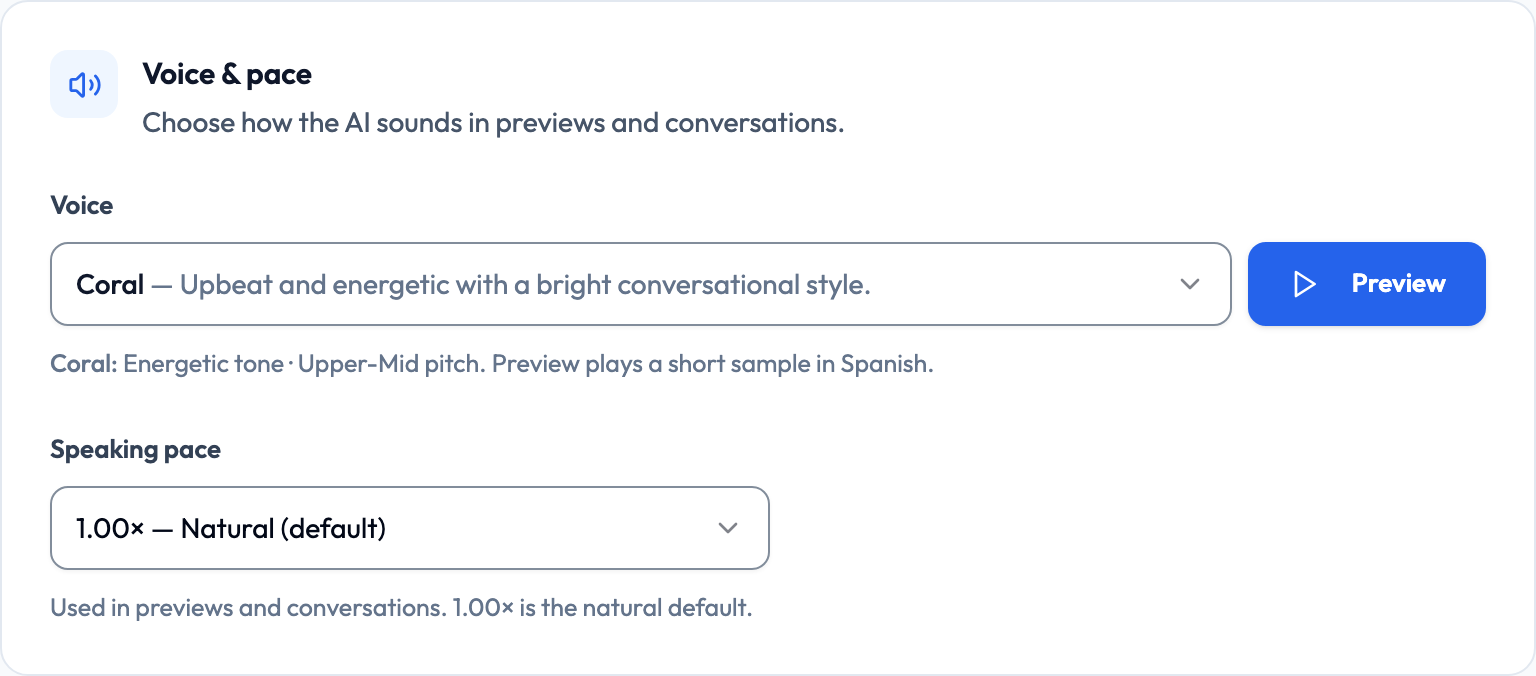
The Voice & pace card offers ten voices, each with a short description; the one you select also shows its tone and pitch. Use the preview button to hear one before committing. A mismatch between a character's described age or presentation and their voice is jarring and pulls students out of the roleplay.
- Warm and grounded — Ash, Cedar
- Bright and energetic — Coral, Verse
- Calm and mentor-like — Sage, Ballad
- Professional and clear — Echo, Marin
- Soft and gentle — Shimmer
- Balanced and neutral — Alloy
Lemon says: Preview the voice with your character description on screen. If your gut says 'that's not her', trust it — students will feel the same thing.
Speaking pace
Directly beneath the voice picker is a Speaking pace control with four options. This is one of the highest-impact settings for lower-proficiency groups, and it's routinely left at the default when it shouldn't be.
- 0.75× — Very slow
- 0.85× — Slower
- 1.00× — Natural (the default)
- 1.10× — Slightly faster
Lemon says: For a first Novice activity, drop to 0.85×. Students who can't catch the first sentence often give up on the whole conversation.
Deciding who speaks first
Where to find this: Scenario › Let the AI start the conversation
Near the bottom of the Scenario step is "Let the AI start the conversation." When it's on, the AI opens with a short greeting so the student doesn't face silence. When it's off, the student has to initiate — which is itself a skill worth practicing.
- On, with the opening line blank — the AI improvises a short in-character greeting in the target language
- On, with an opening line written — the AI opens with exactly that line
- Off — the student speaks first
Lemon says: Turn it on for nervous beginners. Turn it off when 'walking up and starting a conversation' is the thing you're actually assessing.