
Objectives do two jobs
Where to find this: Activities › open an activity › Objectives › Learning objectives
Learning objectives aren't just documentation. They're passed to the AI during the conversation, and they're checked afterwards to see whether each one was addressed. That dual role is why the wording matters more here than in a syllabus.
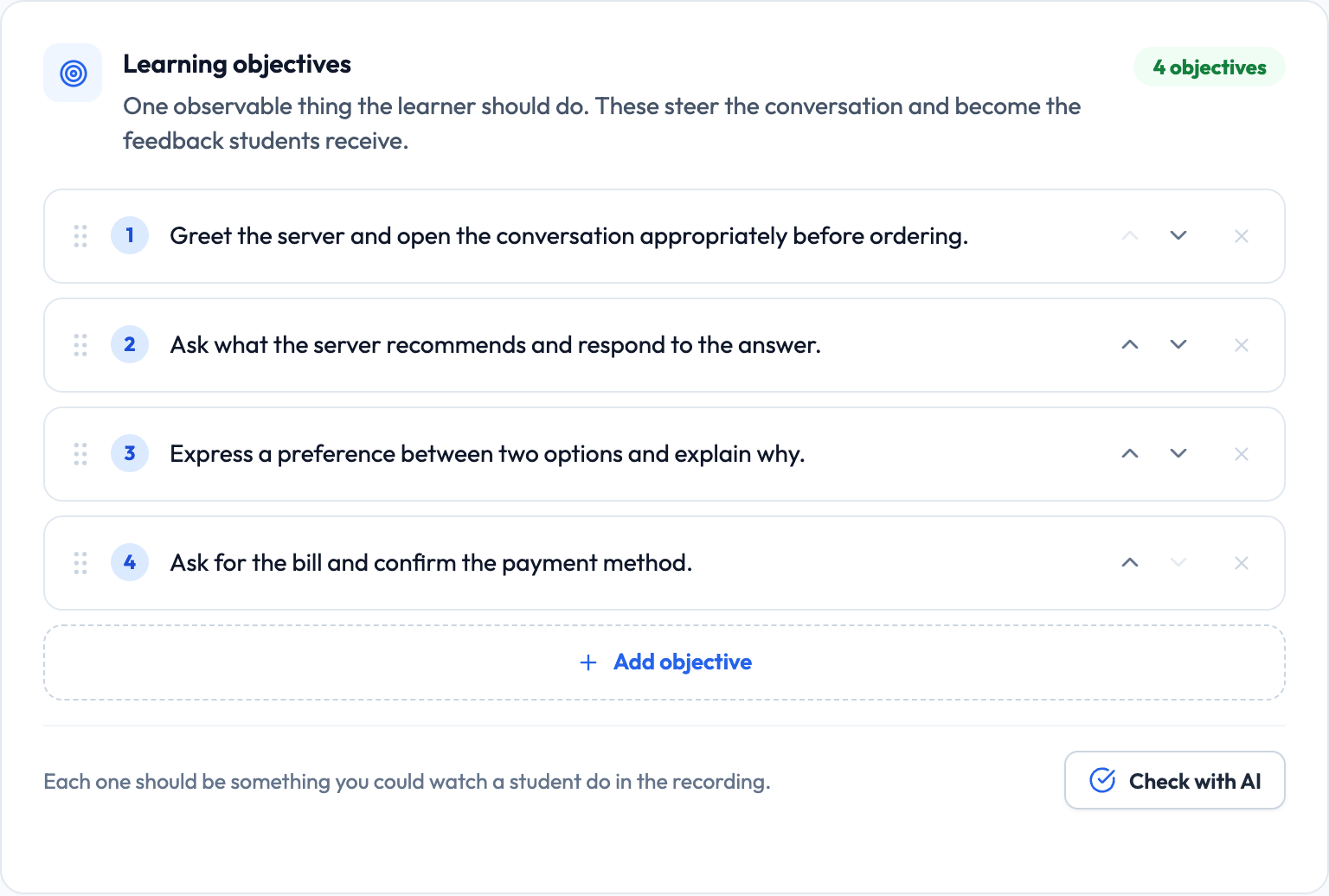
- During the conversation — the AI gives each objective a natural chance to come up
- After the conversation — each objective is checked for whether it was addressed

Lemon says: The AI is told to give objectives a natural opening, not to tick them off like a checklist. Good objectives make that easy.
Write what the learner does, not what the lesson covers
The most useful objectives describe an observable thing the learner does in the conversation. Topic labels — the kind that work fine in a syllabus — give the AI nothing to steer toward and give the checker nothing to look for.
Topic label — hard to act on
The past tense.
The AI can't tell whether this came up, and neither can the checker.
Observable — easy to act on
Describe something that happened last weekend using past-tense verbs.
The AI knows to create an opening for it, and afterwards it's obvious whether the student did it.
Also good
Ask the server at least two questions about the menu.
Countable, natural in the scenario, and clearly either happened or didn't.
Lemon says: Start each objective with a verb the student performs: describe, ask, negotiate, explain, compare, decline.
Three to five is the sweet spot
The editor suggests three to five objectives, and that guidance is worth following. With one or two, the conversation lacks direction. Past about six, the AI is steering toward so many things at once that it stops feeling like a conversation and starts feeling like an interview.
- 1–2 objectives — the conversation wanders
- 3–5 objectives — enough direction, still feels natural
- 6+ objectives — the AI starts working through a checklist
Lemon says: If you have eight things to practice, that's two activities, not one.
Match objectives to what the scenario can produce
An objective only works if the scenario gives it somewhere to happen. This sounds obvious, but it's the most common mismatch — an objective about negotiating a price in a scenario where nothing is for sale.
Mismatched
Scenario: asking for directions to the station. Objective: Express a preference between two options and explain why.
There's no natural moment for this. The AI will either force it awkwardly or skip it entirely.
Matched
Scenario: asking for directions to the station, where there are two routes — one faster but with a change, one slower and direct. Objective: Express a preference between two options and explain why.
The scenario now contains the moment the objective needs.
Lemon says: Write the scenario and the objectives together. If an objective has no home in the scene, change one of them.
Target vocabulary and phrases
Below the objectives is a Target Vocabulary & Phrases box — one item per line. These are handed to the AI, which looks for natural openings that invite the student to use them and only uses one itself when it fits the flow.
A good vocabulary list
la cuenta, por favor pagar con tarjeta ¿Qué me recomienda? está muy rico para llevar
Five phrases that fit naturally into a restaurant scenario. All of them can plausibly surface in one conversation.
Lemon says: Keep it to what genuinely fits one conversation. A list of thirty words means most of them never come up.
Help & tips: the note students actually read
The Help & Tips box on the same step is shown to the student during the conversation, under Details › Scenario. It's where they look when they get stuck, which makes it disproportionately valuable — and it's frequently left blank.
A note for when they get stuck
You're ordering lunch. Two things to try: ask what the server recommends, and ask for the bill at the end. If you get stuck, it's fine to say "no entiendo" — the server will rephrase. Don't worry about being perfect. Keep talking; that's the point.
Sets the task, offers a rescue phrase, and lowers the stakes — all in four lines.
Lemon says: Telling nervous students what to do when they get stuck is worth more than any other tip you can give them.
Setting the level and any group context
Also on this step: the target ACTFL proficiency level, and a box for anything unusual about your group. The level drives the AI's vocabulary complexity and turn length; the context box handles everything the level can't express.
- Target proficiency level — the ACTFL sublevel the AI adapts to
- Additional proficiency context — heritage speakers, reading-heavy backgrounds, an unusual spread
Lemon says: See the "Proficiency Levels & Pacing" guide for what each level actually changes.