
Five areas, two of them on by default
Where to find this: Activities › open an activity › Evaluation
After a student passes the minimum session time, they receive a feedback report. What it contains depends on which areas you selected on the Evaluation step when you built the activity. New activities start with two selected; Create with AI selects every area, so trim them. How it's written — reading level, amount of detail, and the language of the explanations (English unless you change it) — is under Advanced settings on the same step.
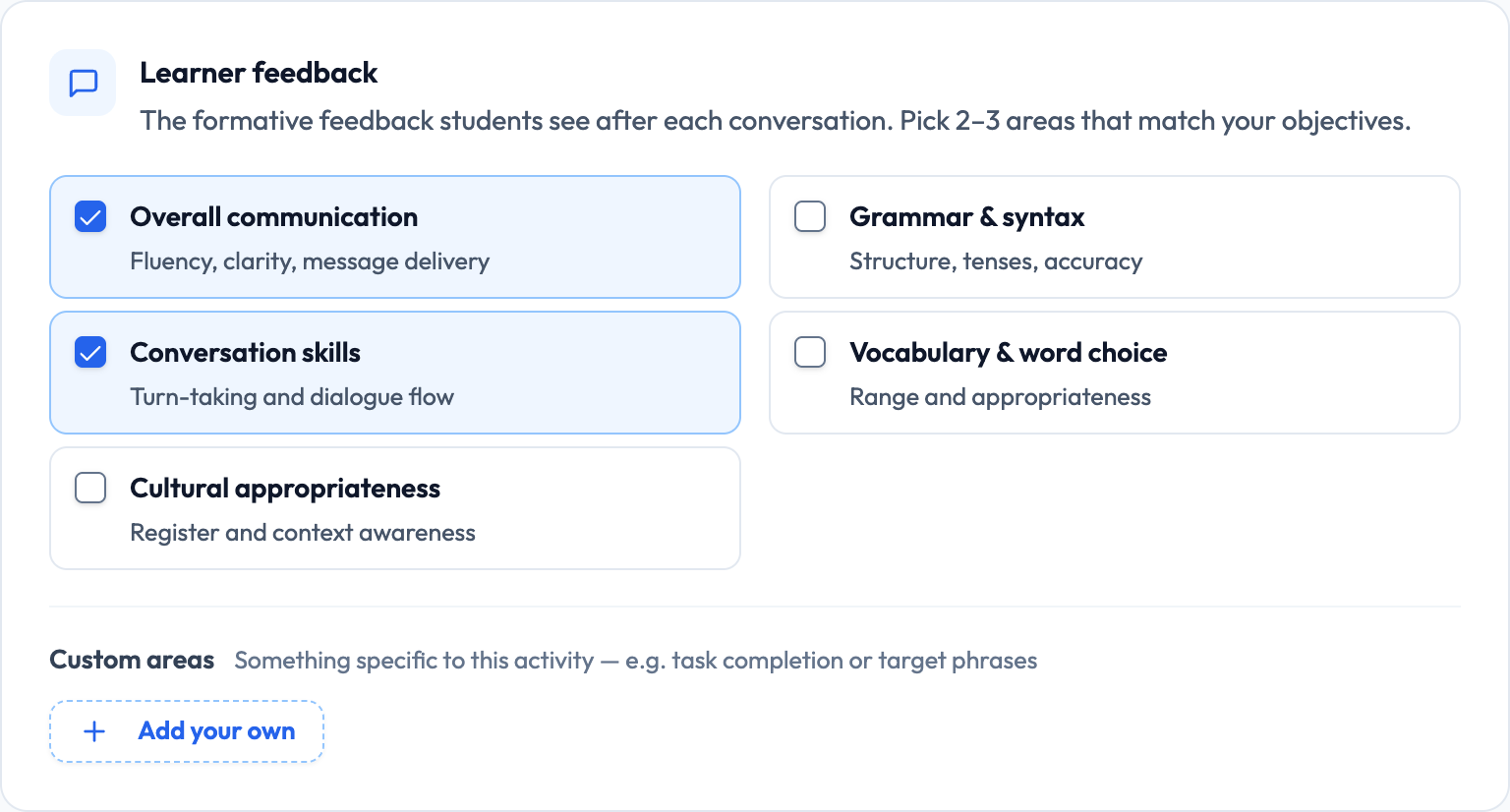
- Overall Communication (default) — clarity, fluency, comprehension, whether communicative goals were achieved
- Conversation Skills (default) — flow, responding appropriately, initiating topics, follow-up questions, turn-taking
- Grammar & Syntax — accuracy, tense, sentence structure, word order, and patterns of error
- Vocabulary & Word Choice — range, precision, and appropriateness for the context
- Cultural Appropriateness — cultural awareness, social norms, and formal/informal register

Lemon says: Each area adds a few strengths and things to work on, and it's told not to mention anything the transcript doesn't support.
Cultural Appropriateness needs cultural context
This area needs setup the others don't. It evaluates against the cultural context you defined for the activity — so if that field is empty, the area has nothing to measure against, and it stays greyed out (Needs cultural context) until you fill it in.
Lemon says: Fill in Cultural Context on the Scenario step first, then turn this on. In that order.
Fewer areas produce better reports
It's tempting to select all five. In practice a five-area report on a six-minute Novice conversation spreads thin — there simply isn't enough evidence in a short beginner transcript to say something substantive about five dimensions. Two or three focused areas produce a report students actually read.
- Novice activities — Overall Communication plus one other
- Grammar-focused activities — add Grammar & Syntax and turn something else off
- Culture or register activities — add Cultural Appropriateness, and fill in the cultural context
- Advanced activities — three or four areas is reasonable; there's more evidence to work with
Lemon says: Match the areas to what the activity was for. A vocabulary activity doesn't need a grammar report.
What the feedback is genuinely good at
Being specific about what to trust matters, because instructors reasonably want to know before they put weight on it. The feedback is reliable on things that are visible in the text of the conversation.
- Whether the student achieved the communicative goal
- Whether they sustained the conversation or let it stall
- Vocabulary range and repetition
- Grammatical patterns that recur across several turns
- Whether the learning objectives were addressed
Lemon says: Anything that shows up as a pattern across the whole transcript, it handles well.
Where it's weaker — and what that means for grading
The honest limits matter as much as the strengths. Feedback is generated from a speech-recognised transcript, which means anything the recogniser gets wrong flows straight through into the evaluation.
- Pronunciation — not assessed directly from audio in the standard feedback report
- Accented speech — recognition is less accurate, which can look like learner error
- Very short sessions — thin transcripts produce thin, generic feedback
- Single instances — one slip may be over- or under-weighted; patterns are more reliable
- Cultural nuance — only as good as the cultural context you supplied
Lemon says: The students most likely to be misjudged by the transcript are the ones with the strongest accents. That's worth knowing before you grade.
The proficiency estimate
Alongside the feedback areas, completed conversations receive an estimated proficiency level. It's a useful signal for tracking movement over a term, but it's an estimate from one short conversation, not a placement result.
- Useful for spotting a trend across several activities
- Useful for finding students who are far from where you expected
- Not a substitute for a placement assessment
- Not stable enough to compare two students from a single session each
Lemon says: Look at the direction over a term, not the number from one conversation.
The AI Coach
Once their report is ready, students get a follow-up chat on their feedback page where they can ask questions about their report — for more examples of a grammar point, or what a comment meant. When you open a submission, the AI Coach tab shows you that conversation.
Lemon says: The AI Coach tab is a quiet window into what confused a student. Worth a glance when a report looks like it landed badly.
Getting students to actually read it
The most common failure mode isn't feedback quality — it's that students finish the session, see a wall of text, and close it. A few things move the needle.
- Keep reports to two or three areas so they're short enough to read
- Reference the feedback in class — students read what gets discussed
- Assign the same activity twice and ask students what changed between attempts
- Ask students to bring one line from their report to the next session
Lemon says: Feedback nobody reads is feedback that didn't happen. A short report referenced in class beats a thorough one nobody opens.